Internship
SSH client
An SSH client that shows a server's health before you connect.
- Role
- Sole designer. The entire UI, designed from scratch, for desktop, laptop and mobile.
- Team
- Sole designer.
- Timeline
- 3 months
- Outcome
- Design delivered.
The project
A multi-platform SSH client for managing servers, with hosts, keys, files, saved commands and sessions in one app. I designed the entire UI from scratch.
A host opens on its stats, not on a terminal: CPU by hour and per core, memory, storage, network, running processes, and security checks marked INFO or WARN. Keys, files, saved commands, port mapping and sessions share one dark interface of short step-by-step dialogs. An AI helper sits beside the terminal.
The idea
A host opens on its health, not a terminal.
Screens are rebuilt for this portfolio with sample content. Every figure in them is sample data.
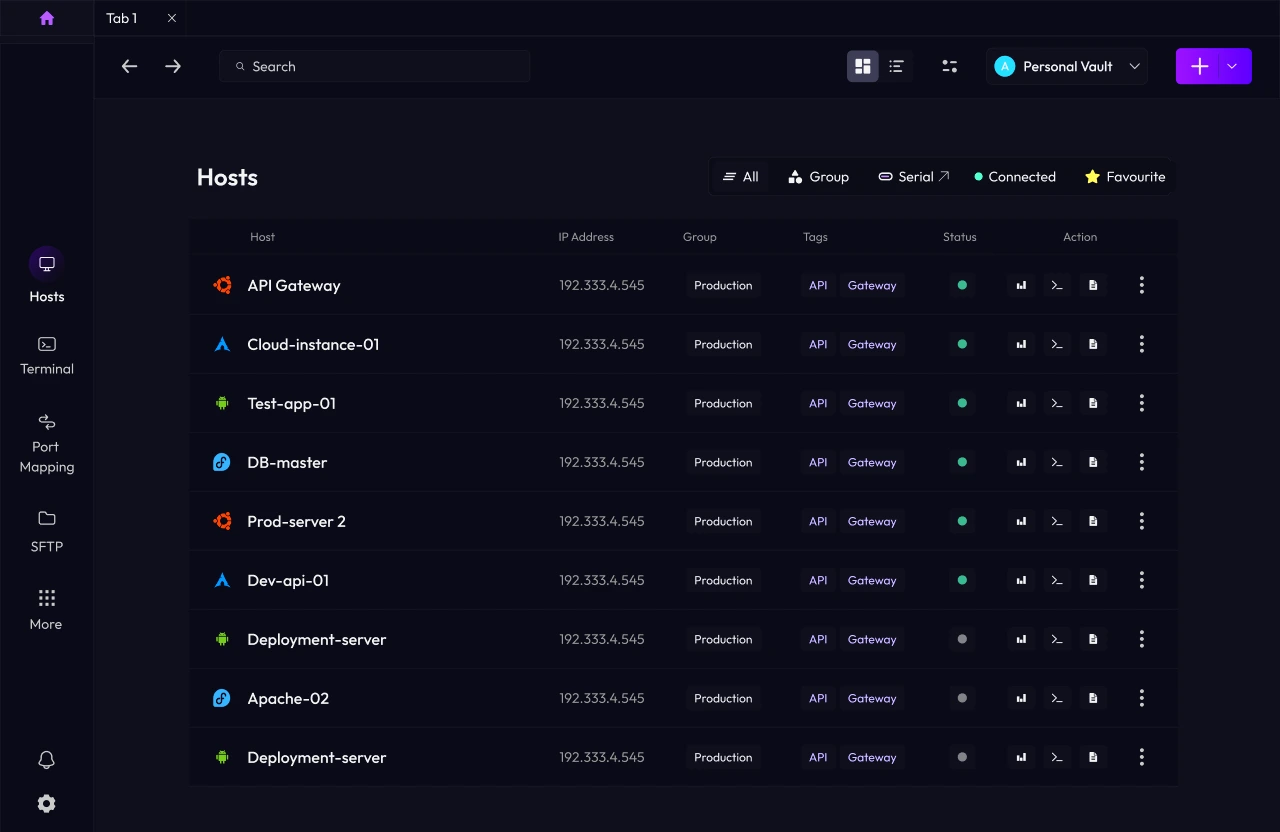
Hosts
All servers in one list
Each row shows status, tags and quick actions, so you can check a server without opening it.
API Gateway
192.168.1.100
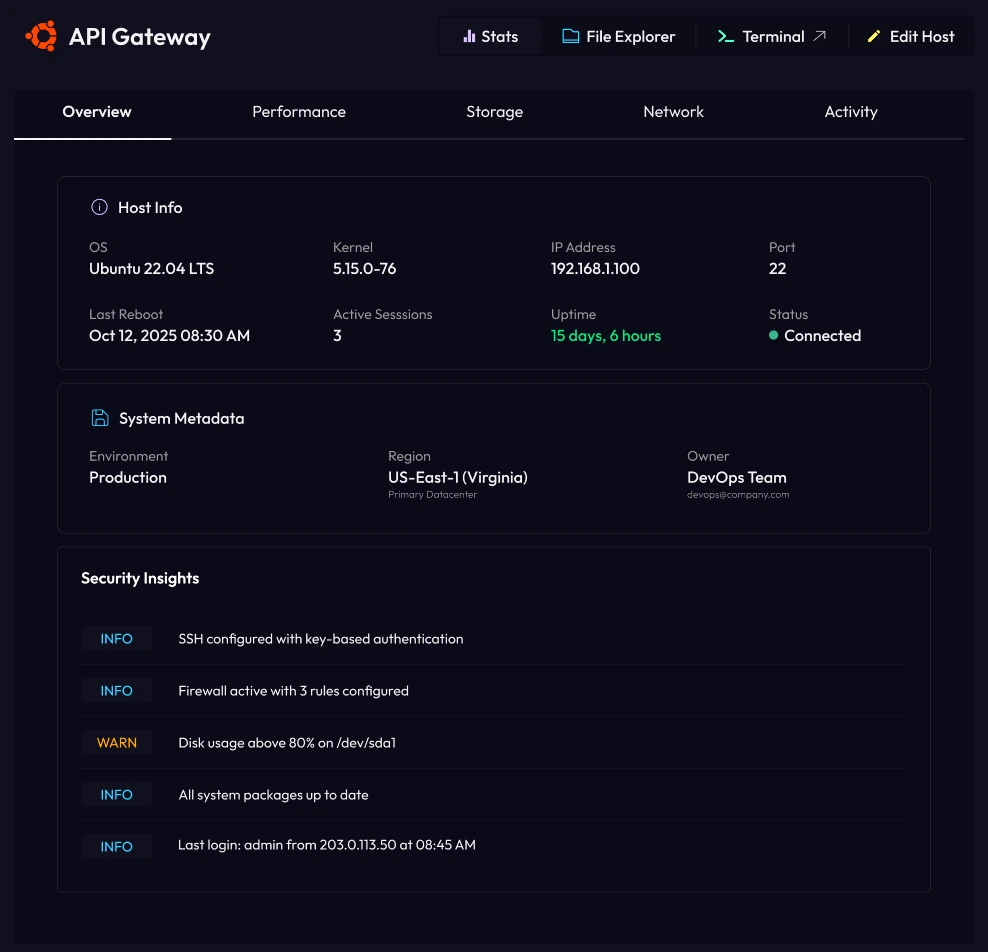
Main feature · Host stats
A host opens on its stats
I made stats the first screen, not the terminal. Uptime, traffic and warnings show before you run anything.
Network · eth0
Download
1.1MB/s
Upload
1.6MB/s
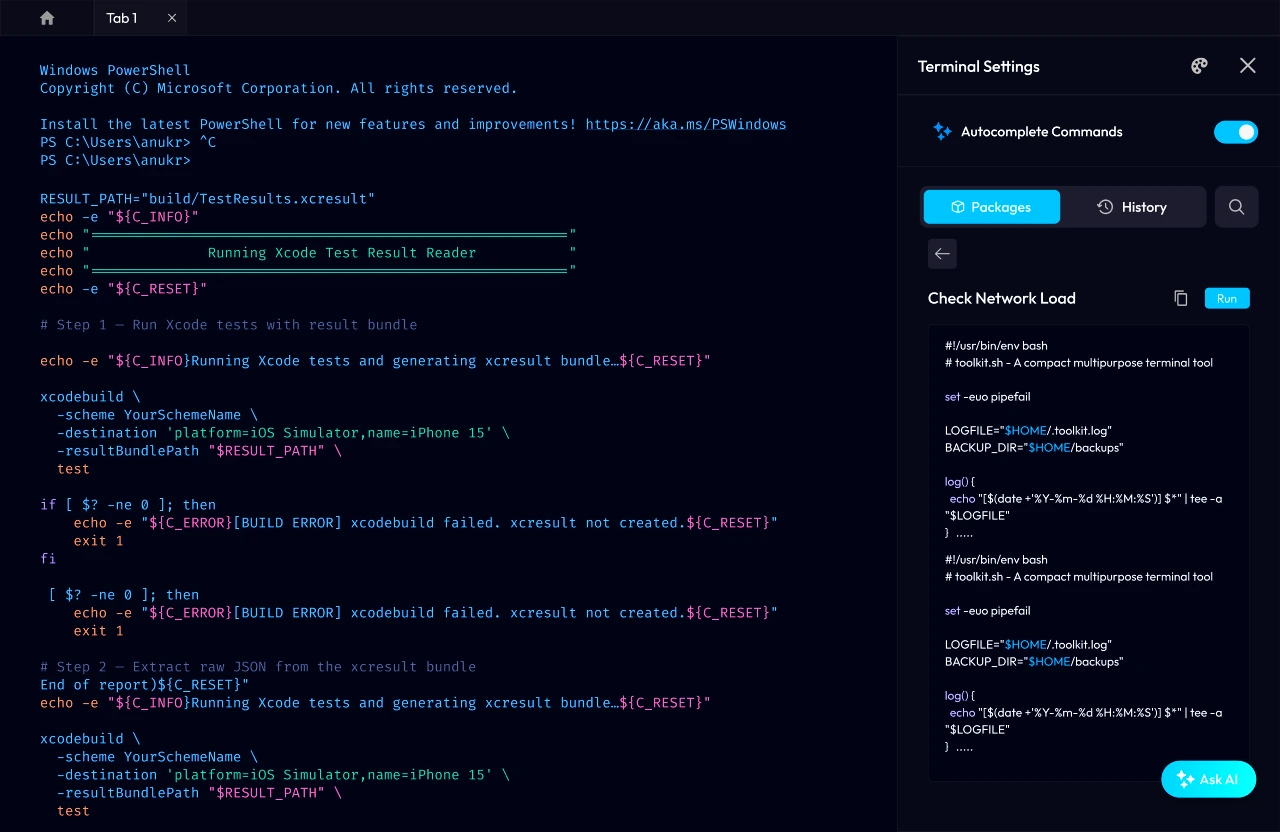
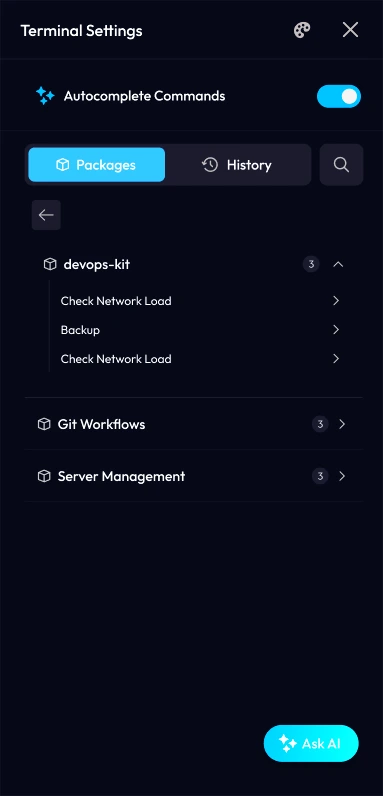
Main feature · Terminal settings
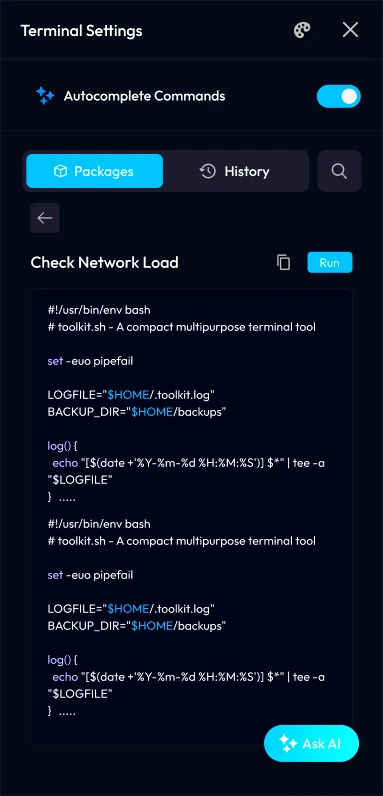
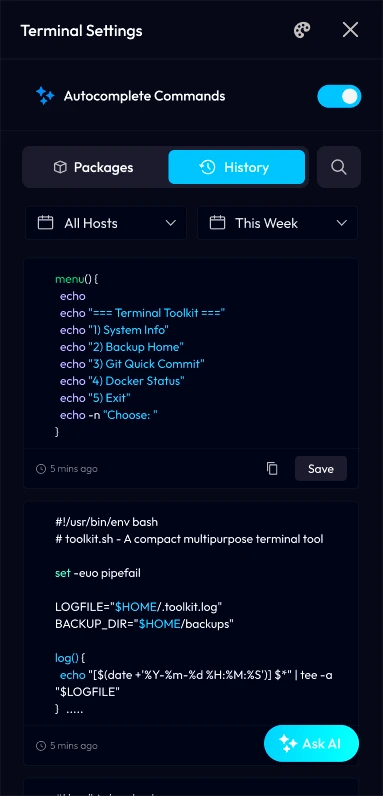
Save a script once, run it again
Scripts are grouped into packages. Open one to read it, then run it in one click.
SSH keys
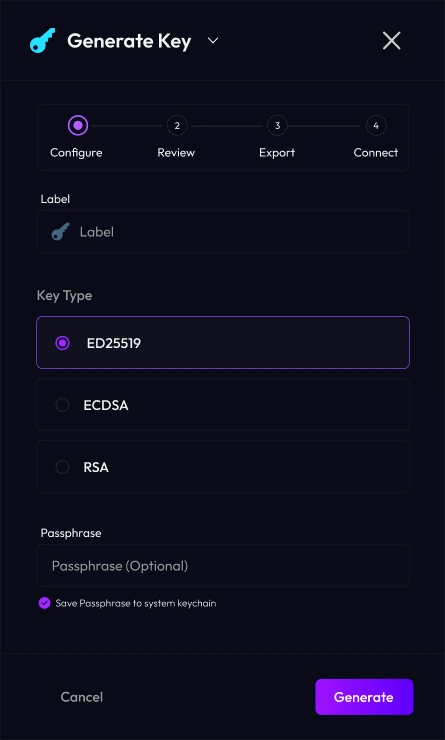
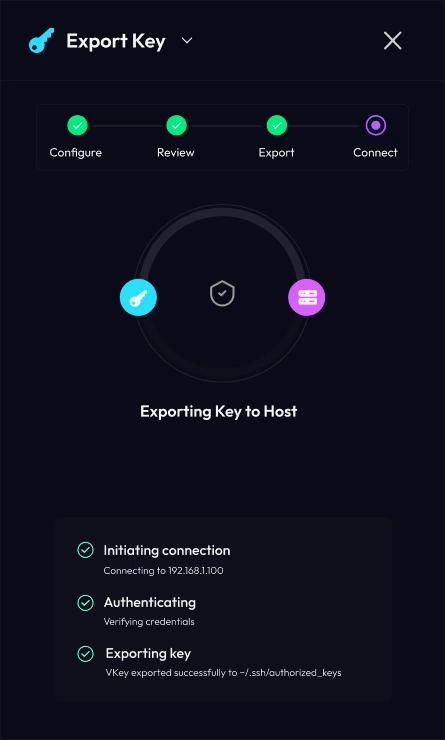
A key in four steps
Configure, review, export, connect. The stepper shows where you are, and export shows each step as it happens.

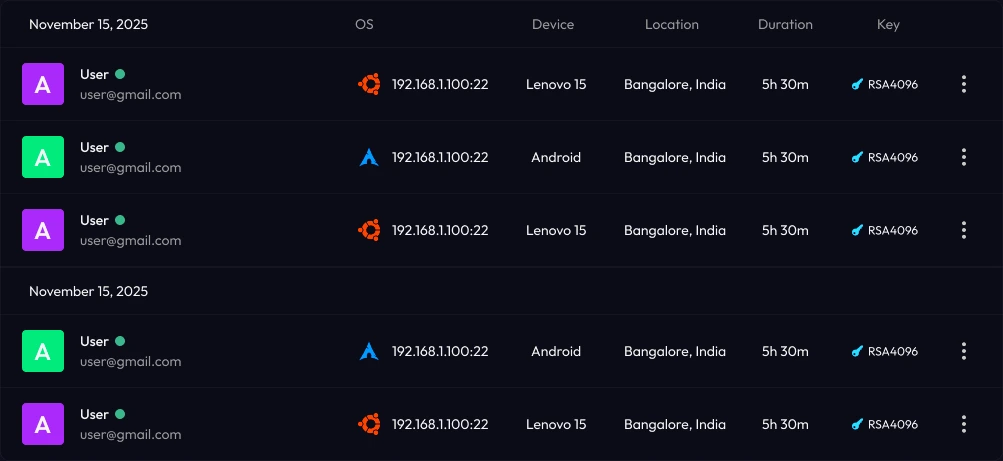
Sessions
Who is signed in
Each session shows the user, device, location, time and key, grouped by day.
What I delivered
- Login and sign-up
- Hosts and vaults
- Host stats
- Terminal with command packages and AI helper
- SSH key manager
- SFTP
- Port mapping
- Trusted servers
- Sessions
- Settings and team invite
Next
- Time from opening a host to knowing its state
- Saved commands run per week
- How often the AI helper is used